

Opening a US business bank account as a non-US founder can feel complicated. Traditional banks often require in-person visits, extensive documentation, and long approval timelines.
Wise Business (formerly TransferWise) has become one of the most popular options for international founders who want to send, receive, and manage money across multiple currencies from one account.
In this guide, we explain exactly how to open a Wise Business account for a US LLC as a non-US resident, including requirements, documents, verification steps, and common issues applicants face.
What Is Wise Business ?
Wise (formerly TransferWise) is a global financial technology platform that allows businesses and individuals to send, receive, hold, and convert money internationally.
For LLC owners, Wise Business can provide:
- Multi-currency account access
- Local receiving account details in supported currencies
- International payments
- Currency conversion at competitive exchange rates
- Team access and expense management
- Integration with accounting tools
Wise is commonly used by online businesses, freelancers, agencies, eCommerce sellers, SaaS founders, and international entrepreneurs.
Can a Non-US Resident Open a Wise Business Account for a US LLC?
If you own a US LLC or corporation and live in a supported country, you can apply for a Wise Business account.
Approval depends on:
- Your country of residence
- Your business activity
- Identity verification
- Address verification
- Wise internal compliance review
Wise Business Account Requirements for a US LLC
Before applying, prepare the following:
Be at Least 18 Years Old
You must be 18 years or older and provide valid identification.
Accepted documents usually include:
- Passport
- Government-issued ID card
- Residence permit (if supported)
2. Live in a Supported Country
Wise supports residents from many countries but not all.
Your residency country must be supported by Wise to continue with account creation.
Have a Registered US Business
Your business should generally be:
- US LLC
- US Corporation (Inc.)
- Other supported business entity
Prepare:
- Company legal name
- Formation documents
- EIN number
Don’t have a US LLC? Register Now
Have an EIN Number
Your EIN (Employer Identification Number) is your US business tax identification number.
You can usually find it on:
- IRS CP575 Letter
- IRS EIN Confirmation Letter
- SS-4 confirmation
Prepare Address Verification Documents
Wise may request proof of your residential or trading address.
Examples:
- Utility bill
- Bank statement
- Lease agreement
- Government correspondence
Document requirements:
- Full legal name
- Complete address
- Recent issue date
Step-by-Step: How to Open a Wise Business Account for a US LLC
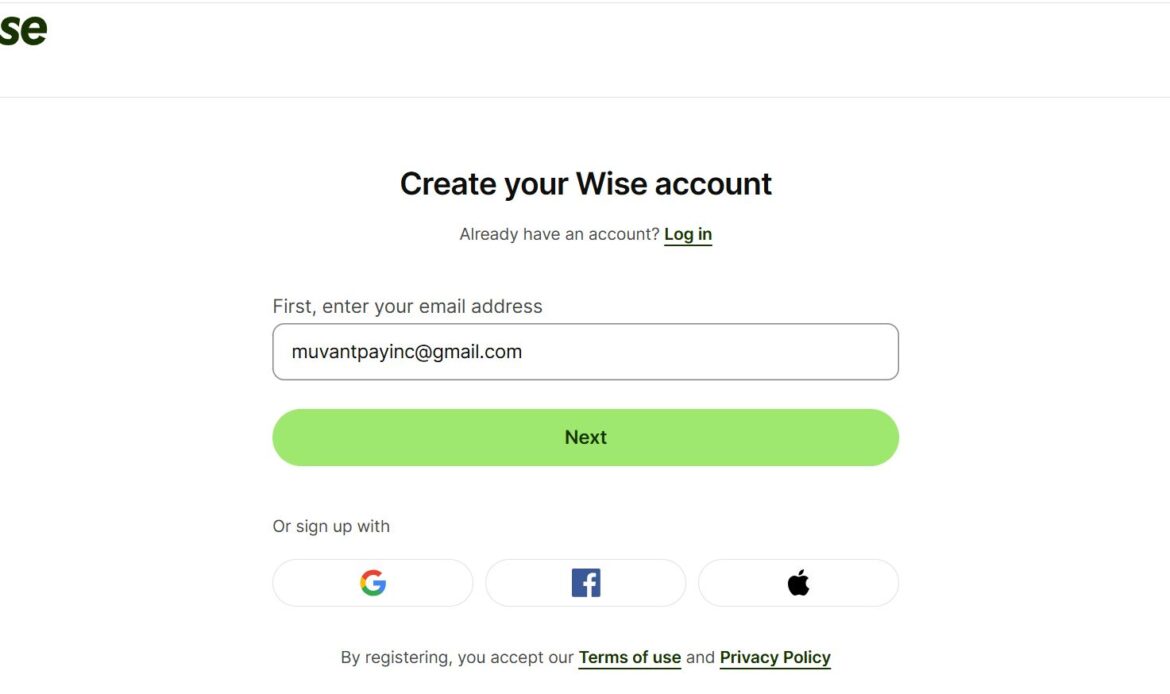
Step 1 — Create Your Wise Account
Visit Wise and select Sign Up.
Choose:
→ Business Account
Enter:
- Email address
- Password
- Country of residence
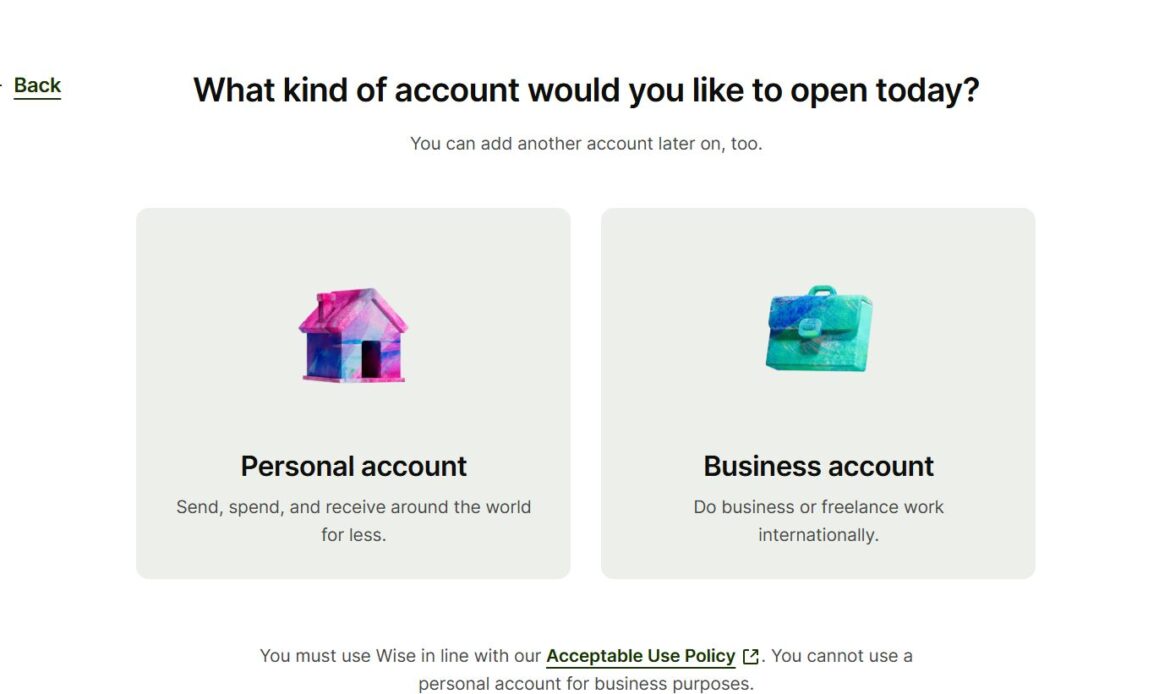
Step 2 — Select Business Account
Choose:
Business → Continue
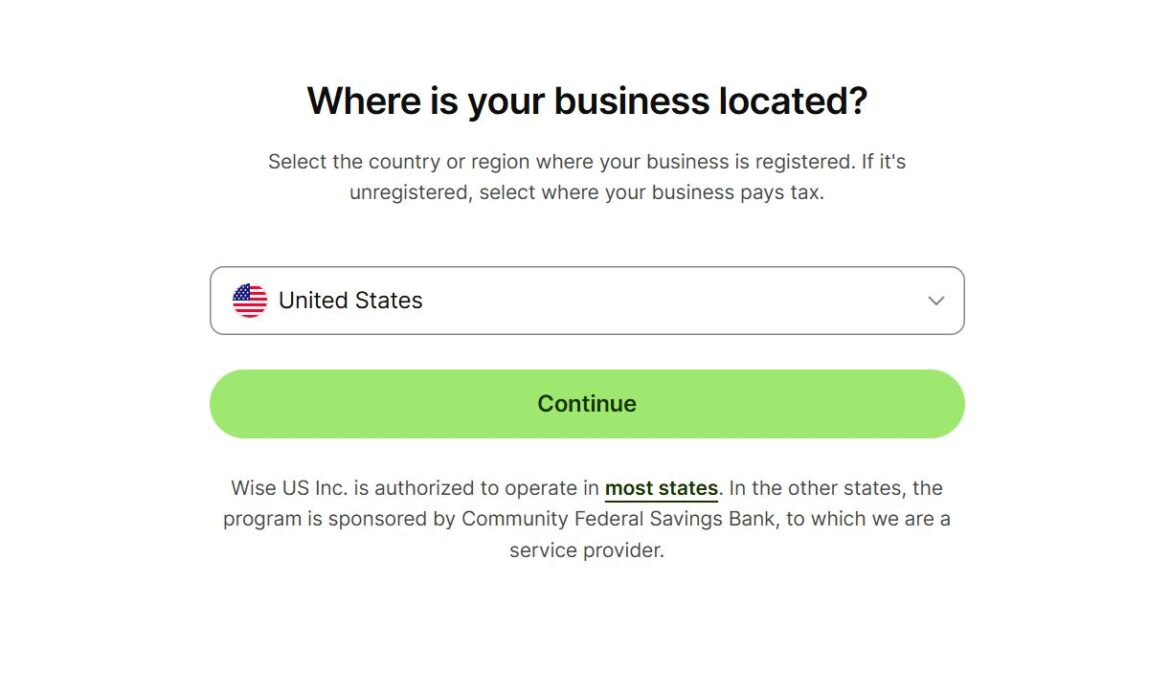
Step 3 — Select Your Company Registration Country
Choose:
United States
This tells Wise your business is registered in the US.
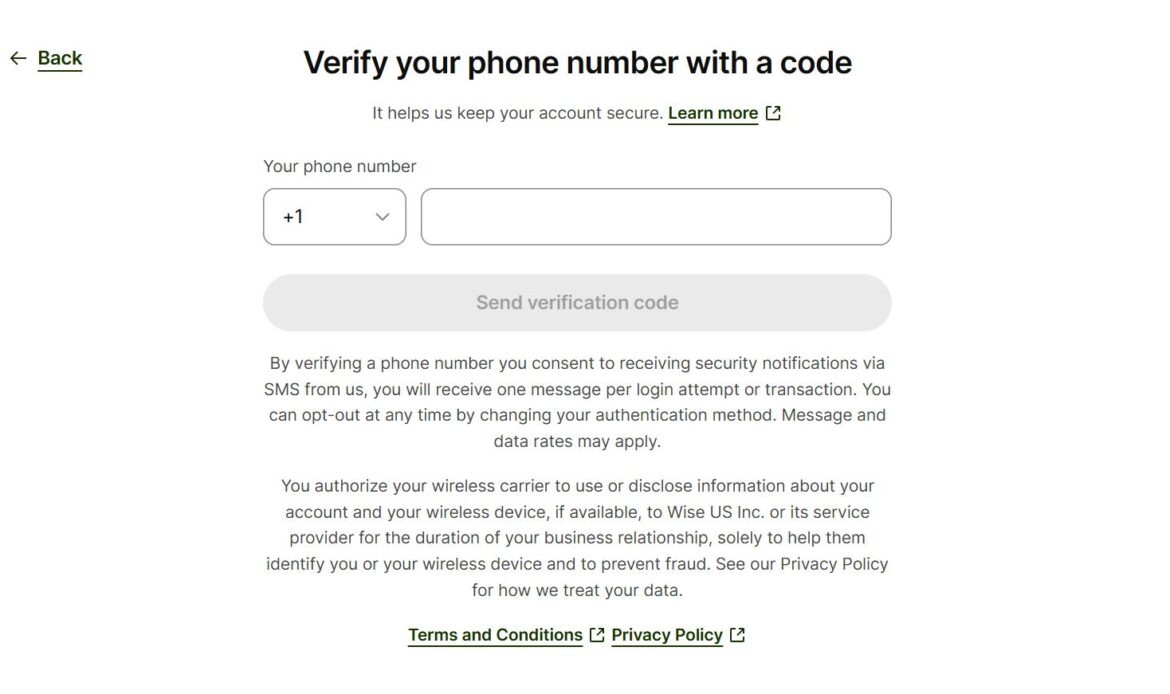
Step 4 — Verify Your Phone Number
Enter your phone number.
Wise will send a verification code (OTP).
Complete verification to continue.
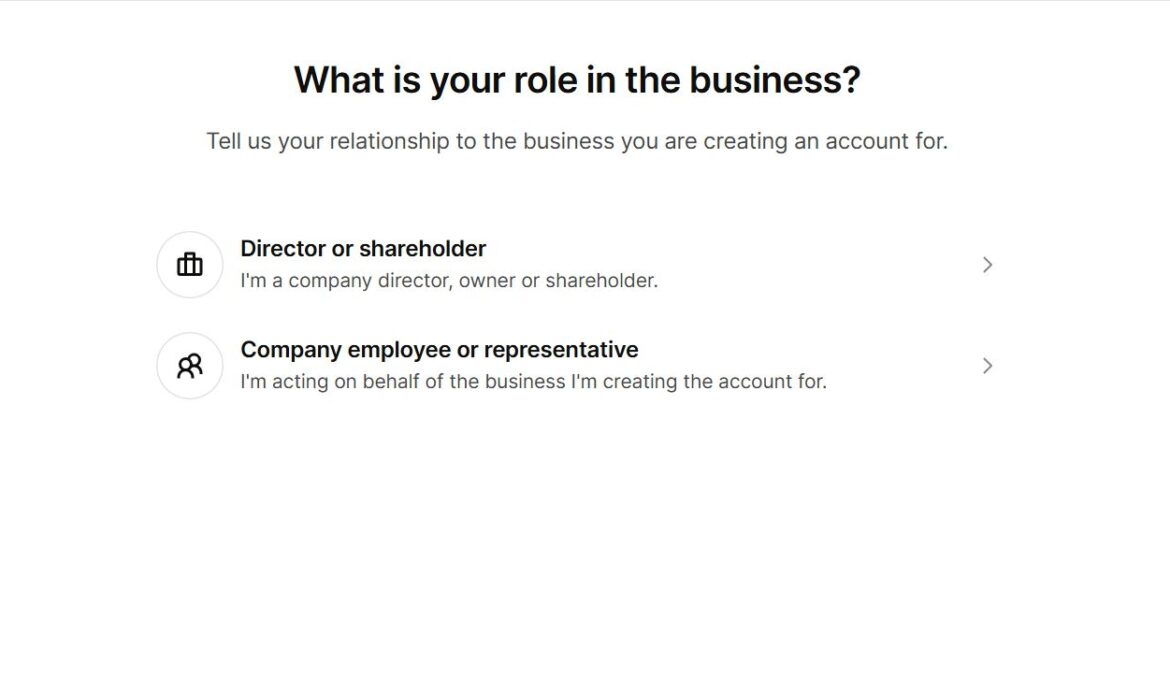
Step 5 — Select Your Role in the Business
Choose your role carefully.
Options may include:
Director / Shareholder
Choose this if:
- You own the LLC
- You manage the company
Employee / Representative
Choose this only if opening the account on behalf of a company.
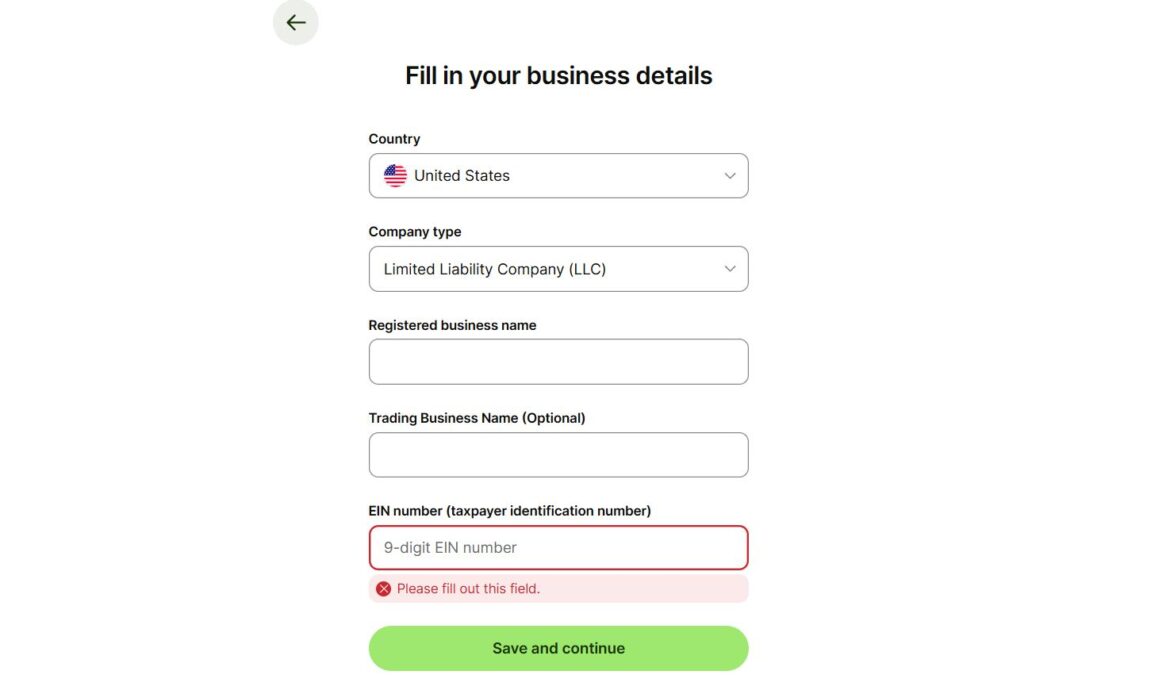
Step 6 — Enter Business Information
Provide:
Registered Business Name
Enter your exact legal entity name.
Example:
Buykii LLC
Include legal suffix:
- LLC
- Inc.
- Corporation
Trading Name (Optional)
Only enter if your business operates under another public brand name.
EIN Number
Enter your 9-digit EIN.
Related Read: What is EIN Number?
Step 7 — Describe Your Business Activities
Wise asks what your company does.
Provide:
- Industry
- Services
- Customers
- Revenue model
Example:
“Online business services helping entrepreneurs register and manage companies.”
Avoid vague descriptions.
Your activity must comply with Wise policies.
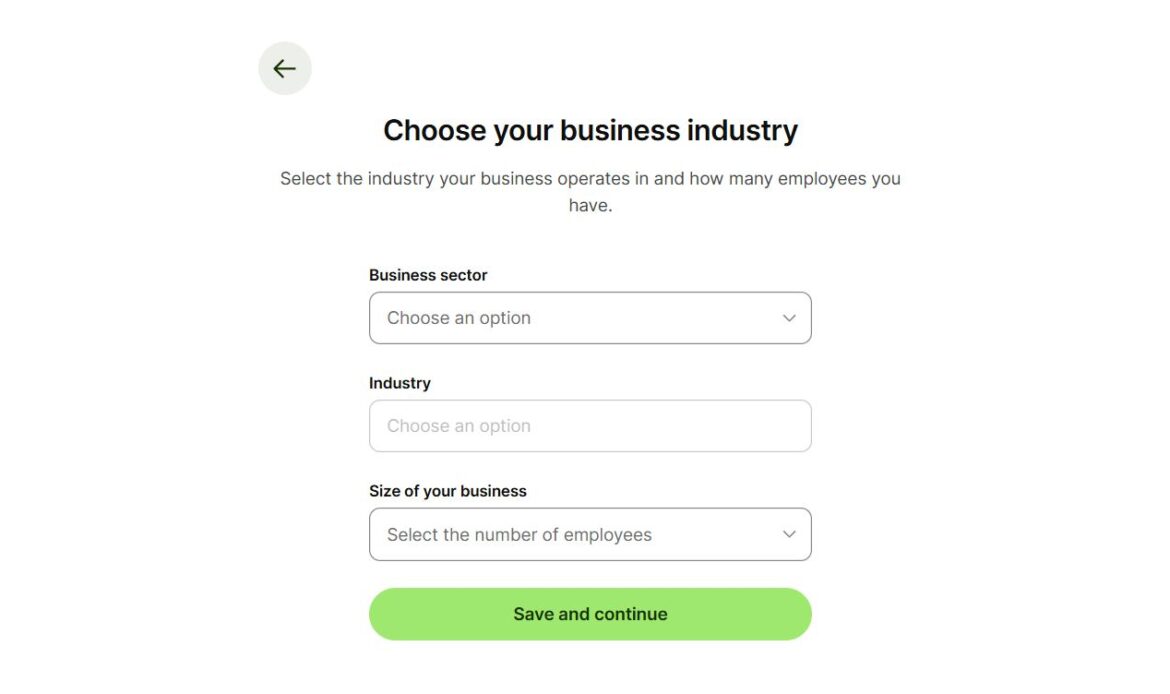
Tip: When describing your business activity during registration, write a clear and accurate description of what your business actually does instead of using just broad terms such as “consulting” or “online services.”
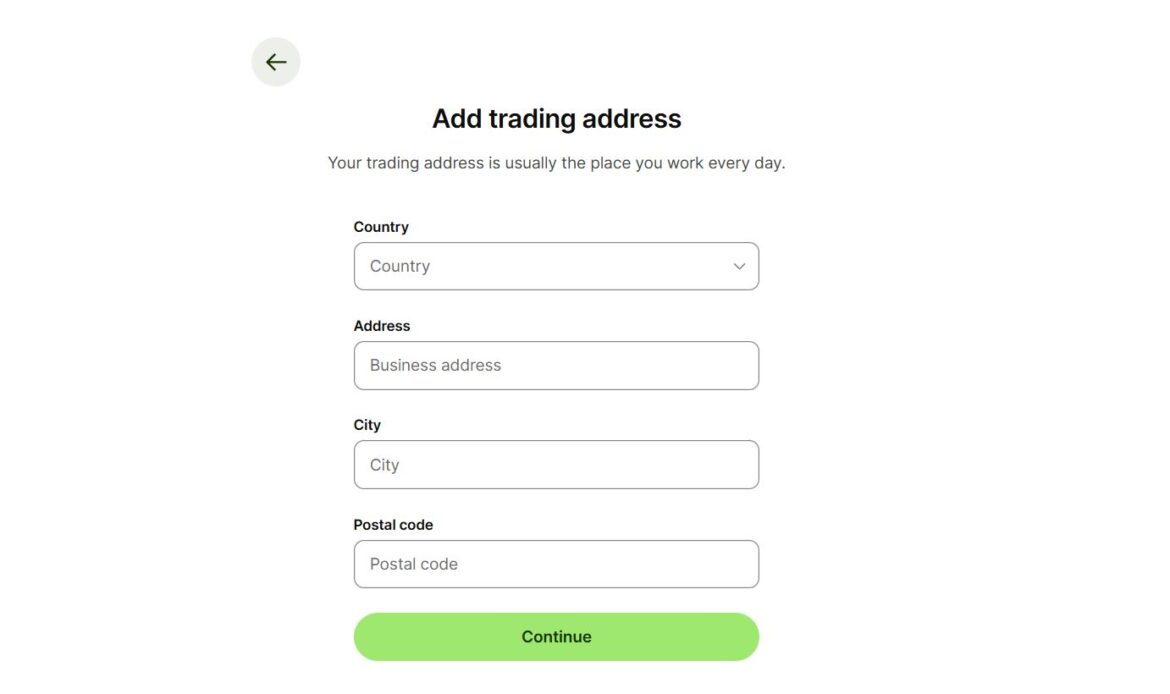
Step 8 — Enter Trading Address
Trading address means the location where daily business operations happen.
Examples:
Physical office
Use office address.
Online business
You may use your residential address if that is where business activities are managed.
Can You Use a Registered Agent Address for Wise?
A registered agent address is generally for legal correspondence and may not represent operational business activity.
Wise may request address proof showing actual business operations.
Can You Use a Virtual Address?
Virtual addresses may not always be accepted as trading addresses.
If requested, you may need documents showing operational presence.
What If Your Country Does Not Appear?
If your country is unavailable during registration:
- Wise may not currently support your residency
- Certain services may be restricted
Wise country accepted country list
Can You Use Someone Else’s Address?
No, You need to provide supporting documents showing:
- Your full legal name
- Matching address
Using an address you cannot verify can delay or reject verification.
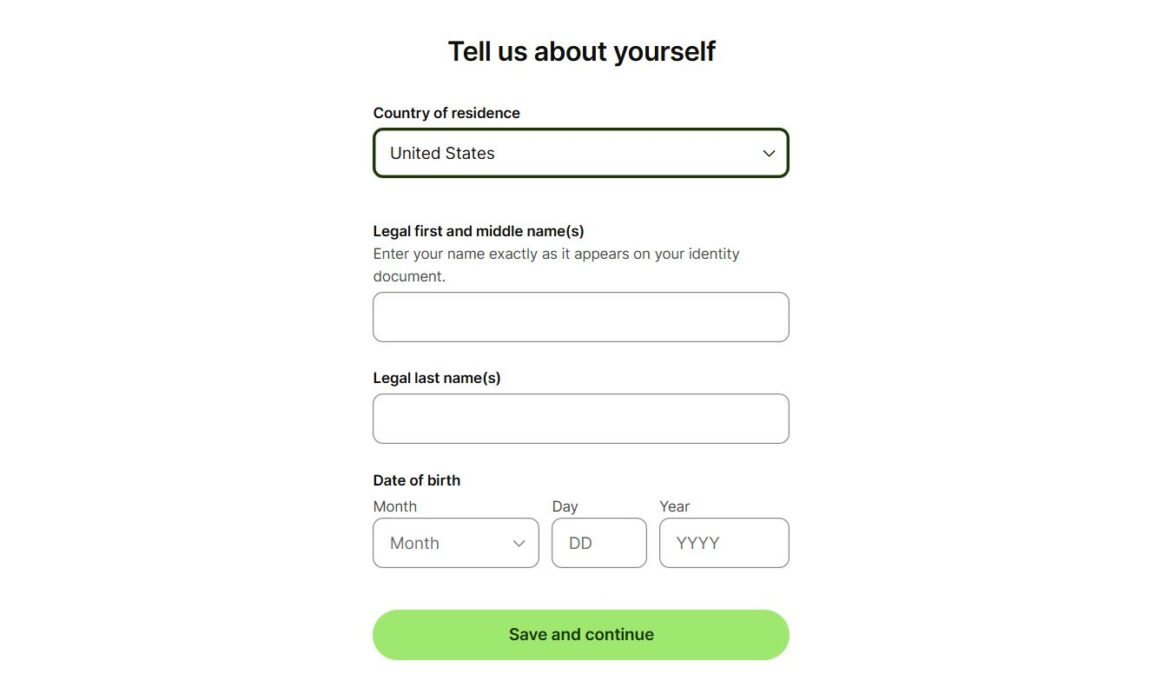
Step 9 — Add Personal Information
Provide:
- Country of residence
- Full legal name
- Date of birth
Your details should match your passport or government ID exactly.
Wise Business Account Fee
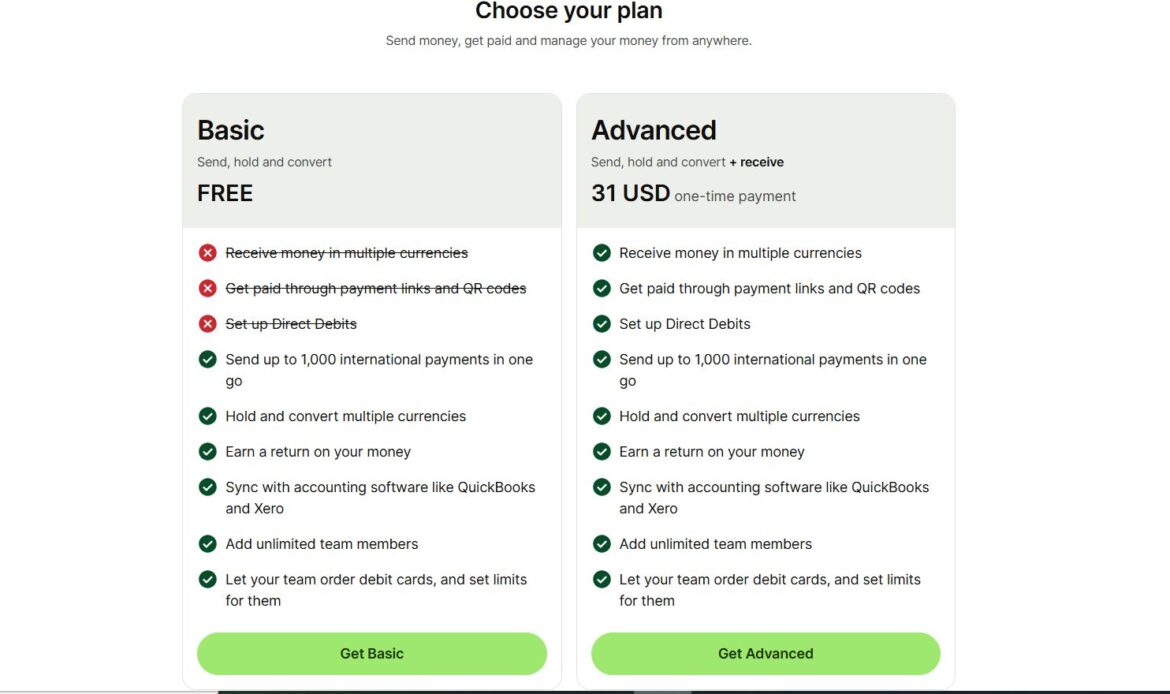
Wise charge a one-time 31$ setup fee depending on location and account features.
Business features may include:
- Receive payments in multiple currencies
- Payment links
- Direct Debits
- Bulk international payments
- Currency conversion
- Accounting integrations
- Team member access
- Debit card options (where available)
Documents Required for Wise Business Verification
Business Documents
- LLC formation documents
- EIN confirmation
Identity Documents
- Passport
- Government ID
Address Proof
- Utility bill
- Bank statement
- Lease agreement
Additional Verification
- Live selfie
- Business information
- Source of funds questions
FAQs
How Long Does Wise Business Verification Take?
Verification time varies.
Many applications are reviewed within 1 to 2 business days, while some may require additional checks.
Common Reasons Wise Applications Get Rejected
Unsupported residency countryAddress mismatchRestricted business activityIncorrect EINUnclear business descriptionIncomplete verification
Wise Supported Countries
Wise is available in many countries worldwide, but some services and features depend on where you live and where your business operates.
For example, certain countries may support:
- Sending money only
- Receiving payments
- Multi-currency balances
- Wise cards
- Business accounts
Availability can also change due to local regulations, licensing requirements, or compliance updates.
At the time of writing, Wise does not currently offer services in certain countries and regions, including:
- Afghanistan
- Belarus
- Burundi
- Central African Republic
- Chad
- Congo
- Democratic Republic of the Congo
- Cuba
- Eritrea
- Iran
- Iraq
- North Korea
- Libya
- Myanmar
- Somalia
- South Sudan
- Russia
- Sudan
- Syria
- Yemen
- Venezuela
- Certain regions of Ukraine including Crimea, Donetsk, Luhansk, Kherson, and Zaporizhzhia
If you are located in an unsupported country or region, you may not be able to:
- Create a Wise account
- Access existing Wise services
- Send or receive payments
- Use your Wise card
- Complete verification
Because Wise updates country availability from time to time, always verify the latest list directly before starting your application.
Wise Restricted Business Activities
Wise supports many business types, but certain industries and activities are restricted or prohibited due to legal, compliance, and risk requirements.
Before opening your Wise Business account, make sure your business activities are eligible.
Examples of business activities that may be restricted or not supported include:
Financial and Money Services
Businesses that handle money for others, including:
- Money transfer services
- Currency exchange businesses
- Unlicensed financial services
- Third-party payment processing
Cryptocurrency and Digital Asset Activities
Certain crypto-related businesses may be restricted, including:
- Cryptocurrency exchanges
- Crypto brokerage services
- High-risk digital asset operations
Gambling and Betting
Including:
- Online casinos
- Betting platforms
- Gambling-related payment services
Adult Content and Services
Businesses involved in:
- Adult entertainment
- Explicit content
- Certain adult-related services
Weapons and Restricted Goods
Businesses connected to:
- Firearms
- Ammunition
- Military-related equipment
- Restricted or controlled products
Illegal or High-Risk Activities
Examples include:
- Fraudulent activities
- Counterfeit products
- Unauthorized resale
- Sanctioned business operations
High-Risk Investment Services
Including:
- Investment schemes
- Unlicensed securities services
- Certain fundraising models
Regulated Products and Services
Some regulated sectors may require additional review or approval.
If your business falls into a restricted category, Wise may:
- Request additional documents
- Place account limitations
- Reject account opening
- Restrict transactions after review